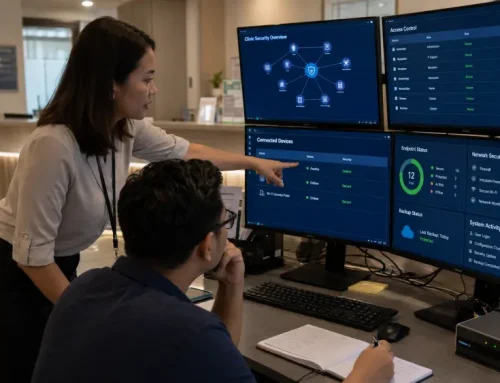

The Wi-Fi becomes unstable again. The software provider blames the network, the internet provider reports no fault, and employees spend time contacting different technicians before work can continue. Service is eventually restored, but nobody confirms why the problem happened. A week later, the same issue returns.
At that point, the problem may no longer be one faulty connection. For growing Malaysian businesses, a more important warning sign is whether recurring IT issues are repeatedly affecting employees, customers, transactions or management time, without clear ownership of what happens next.
Reactive IT support begins after something has already gone wrong. It may remain workable for a simple and stable environment, but it becomes harder to manage as the organisation adds more users, devices, applications, locations and technology vendors.
A useful way to judge whether the current model is still suitable is not only how many incidents occur, but whether someone clearly owns the investigation, maintenance and follow-up when those incidents affect operations.
Effective IT support for growing businesses should do more than restore service after each incident. It should help the organisation understand recurring issues, clarify responsibilities and manage the technology behind daily operations more consistently.
This guide is intended primarily for owners and operations leaders in growing Malaysian businesses with limited internal IT capacity. It is also relevant to internal IT teams dealing with recurring technical issues, fragmented vendor support or increasing support workloads.
Table of Content
8 Warning Signs to Look for in Daily Operations
Estimating The Hidden Cost Of Repeated IT Disruption
The repair invoice is only one part of the cost.
When systems are unavailable, employees may wait, repeat work, coordinate technicians or rely on inefficient workarounds. Managers may become involved in escalations, while customers experience slower response times.
To form a rough internal estimate of the immediate labour impact, consider:
Number of employees affected × time lost × approximate hourly employment cost per employee
For example, if 10 employees each lose 1.5 hours and the approximate hourly employment cost per employee is RM30:
10 employees × 1.5 hours × RM30 = RM450
This represents only the immediate labour impact. It does not include delayed customer service, lost sales, emergency support fees or management time.
Additional costs may include:
Track recurring incidents over 30 days to see whether several small disruptions are creating a larger operational cost.
This is not a complete downtime-cost model. It is a simple management exercise to identify costs that may not appear on the repair invoice.
What Should Management Review First?
Do not judge the situation only by counting how many signs apply. One issue affecting a business-critical system may require more urgent attention than several minor support problems.
For each recurring issue, record the following:
| Review Area | Question to Ask |
|---|---|
|
Frequency |
How often has the problem occurred during the past 30 days? |
|
People affected |
How many employees, departments or locations were disrupted? |
|
Business impact |
Did it delay customer service, transactions, reports or management decisions? |
|
Security or data risk |
Did it involve accounts, access, backups or sensitive information? |
|
Ownership |
Was one person clearly responsible for coordinating the resolution? |
|
Resolution time |
How long were normal operations affected? |
|
Recurrence |
Has the same or a related issue happened before? |
- Frequency: How often has the problem occurred during the past 30 days?
- People affected: How many employees, departments or locations were disrupted?
- Business impact: Did it delay customer service, transactions, reports or management decisions?
- Security or data risk: Did it involve accounts, access, backups or sensitive information?
- Ownership: Was someone clearly responsible for coordinating the investigation and resolution?
- Resolution time: How long were normal operations disrupted?
- Recurrence: Has the same or a related issue happened before?
This is a practical internal review, not a formal technical assessment. The severity and operational impact of an issue matter more than the total number of warning signs.
Identifying these patterns gives management a clearer starting point before deciding whether the current support arrangement should be improved, supplemented or replaced.
Why Recurring IT Problems Continue

Temporary fixes can restore operations without resolving the underlying cause.
Restarting a slow device or reconnecting a network may get employees working again, but it does not explain why the problem occurred.
Recurring problems often continue because:
Repeated device problems may also indicate gaps in device lifecycle management, including standardisation, support records and refresh planning.
This cycle is commonly described as IT firefighting. Fast incident response remains important, but repeatedly restoring service without improving the wider environment leaves the business exposed to further disruption.
Managed IT Services Vs Break-Fix Support
Once the recurring problems and their business impact are clear, management can determine whether the existing break-fix arrangement still suits the environment.
| Area | Break-fix support | Managed IT Services |
|---|---|---|
|
Support trigger |
Begins after a problem is reported |
Includes ongoing support and agreed management activities |
|
Main focus |
Restore the affected system or device |
Improve stability across the agreed environment |
|
Monitoring |
Usually limited or separate |
May include ongoing monitoring |
|
Maintenance |
Requested when needed |
Can include scheduled updates and health checks |
|
Documentation |
Often limited to individual incidents |
Usually requires clearer system records and ownership |
|
Security |
Addressed when requested |
Can be included in ongoing management and review |
|
Cost structure |
Charged per incident, visit or project |
Usually based on an agreed recurring scope |
|
Accountability |
The customer coordinates multiple providers |
One provider may coordinate multiple areas within the agreed IT scope |
|
Best fit |
Simple, low-dependency environments |
Growing or complex environments needing structured support |
- Support trigger
> Break-fix support: Begins after a problem is reported.
> Managed IT Services: Includes ongoing support and agreed management activities. - Main focus
> Break-fix support: Restore the affected system or device.
> Managed IT Services: Improve stability across the agreed environment. - Monitoring
> Break-fix support: Usually limited or separate.
> Managed IT Services: May include ongoing monitoring. - Maintenance
> Break-fix support: Requested when needed.
> Managed IT Services: Can include scheduled updates and health checks. - Documentation
> Break-fix support: Often limited to individual incidents.
> Managed IT Services: Usually requires clearer system records and ownership. - Security
> Break-fix support: Addressed when requested.
> Managed IT Services: Can be included in ongoing management and review. - Cost structure
> Break-fix support: Charged per incident, visit or project.
> Managed IT Services: Usually based on an agreed recurring scope. - Accountability
> Break-fix support: The customer coordinates multiple providers.
> Managed IT Services: One provider may coordinate multiple areas within the agreed IT scope. - Best fit
> Break-fix support: Simple, low-dependency environments.
> Managed IT Services: Growing or complex environments needing structured support.
Choosing between Managed IT Services and break-fix support is not simply a matter of paying monthly or paying after an incident.
Break-fix IT support may remain suitable for a simple and stable environment with limited technology dependence and clear internal ownership.
Managed IT does not guarantee that nothing will fail. Its value comes from creating a more organised approach to monitoring, maintenance, escalation, documentation and accountability.
What A More Structured IT Support Model Should Address
A more structured support model should do more than wait for employees to report failures.
Depending on the agreed scope, it may include:
Proactive IT monitoring may help detect availability problems, performance changes and repeated warning signs earlier.
However, monitoring alone is not complete proactive IT management. Alerts still need to be interpreted, prioritised and assessed in relation to maintenance requirements, security risks and business impact.
Monitoring also cannot guarantee that every issue will be detected or prevented.
Security-related maintenance requires ongoing attention. CyberSecurity Malaysia’s Qilin ransomware advisory includes recommendations covering system patching, regular backups and backup testing.
When Managed IT Services For SMEs Become Worth Considering
Managed IT Services for SMEs become relevant when technology is important to daily operations, but the organisation cannot manage every part of the environment consistently.
The purpose is not necessarily to outsource every technical responsibility. It is to establish clearer ownership across areas such as:
Businesses with an internal IT employee may also use external support to add specialist expertise, monitoring or capacity without replacing the internal team.
For organisations comparing Managed IT Services in Malaysia, the right model depends on internal resources, the number of locations, the systems involved and the required level of support.
Learn how internal, co-managed and outsourced support models compare in our guide to IT outsourcing for growing businesses.
How QubeApps Helps Businesses Move Beyond Reactive Support

QubeApps helps organisations move from fragmented troubleshooting towards a more structured approach to IT support. Depending on the agreed service scope, this may involve reviewing recurring support issues, identifying the users, devices, systems and vendors involved, clarifying responsibilities across internal teams and providers, establishing support and escalation procedures, and reviewing recurring incidents for priority improvements.
The goal is to help management gain clearer visibility into recurring incidents, support responsibilities and priority risks, while giving employees a more consistent route for requesting and receiving technical support.
QubeApps Managed IT Services covers technology areas including infrastructure, cybersecurity, end-user and workplace support, applications, communication platforms and business operations systems. The exact responsibilities, systems and service activities included are defined according to the agreed scope.
Across its wider technology business, QubeApps has 12K+ satisfied users and capabilities spanning multiple areas of business technology.
Working with a provider across several technology areas can give the organisation a clearer point of accountability for the agreed IT scope and reduce the effort required to coordinate separate technicians and vendors.
Explore QubeApps Managed IT Services to understand how a more structured support arrangement could complement your existing IT resources.