
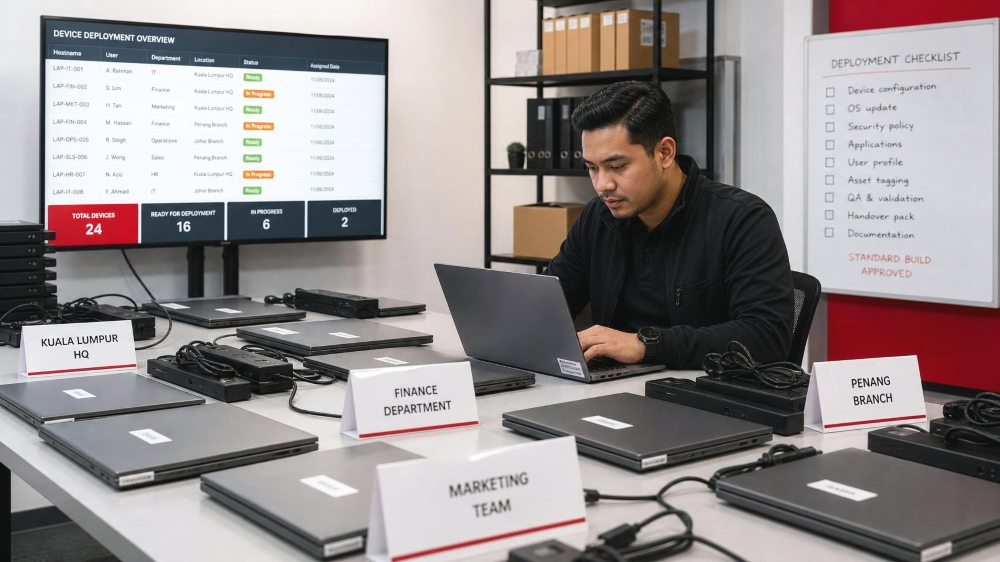
A new employee arrives, but the laptop is not ready.
Another branch purchases a different model because the approved device is unavailable. IT cannot confirm whether an unreliable laptop is still under warranty. A former employee’s device has not been returned. An older machine remains in use even though its operating system is approaching the end of support.
These issues are often treated as separate incidents. They are not. They are signs that the organisation has lost control of its device lifecycle. The real warning is not one slow laptop. It is that nobody can quickly confirm:
- Which devices the organisation owns
- Who is using each device
- Whether the equipment is properly secured
- Which warranties remain active
- Whether a device should be repaired, reassigned or replaced
- What happens to business data when the device leaves service
By the time these gaps become visible to management, the impact has usually spread across employee downtime, repeated support work, security exposure, emergency purchasing and unplanned budget pressure.
A structured device lifecycle management process helps IT, procurement and operations teams control business laptops, office computers and other workplace devices from initial planning and employee device setup through support, refresh and retirement.
This guide is intended for Malaysian organisations managing devices across multiple roles, departments, branches or business locations. For a broader view of the technology priorities growing companies should consider, read our guide to business IT solutions for Malaysian SMEs.
It focuses on company laptops, desktops, workstations, monitors, peripherals and other business IT hardware used by employees. It does not cover server infrastructure, network equipment or unified endpoint management platforms in detail.
Table of Contents:
Key Takeaways
What Is Device Lifecycle Management?
Device lifecycle management is the structured process used to select, configure, deploy, support, refresh and retire workplace devices. In practice, this includes selecting suitable IT hardware, planning computer setups for office users, preparing devices for deployment and deciding when equipment should be reassigned, replaced or retired.
A complete process should answer practical questions such as:
- Which device profile should each employee role receive?
- Who approves exceptions from the standard specification?
- Which security settings must be applied before deployment?
- Where are warranty, repair and ownership records maintained?
- What should trigger repair, redeployment or replacement?
- What happens to the device when an employee leaves?
- Who is responsible for data sanitisation and final disposal?
IT asset management and device lifecycle management overlap, but their emphasis differs. IT asset management generally governs the financial, contractual, inventory and ownership records associated with hardware and software assets. IT hardware lifecycle management focuses more directly on how physical equipment is selected, deployed, maintained, reassigned, refreshed and retired.
For organisations where laptops make up most of the end-user environment, laptop lifecycle management applies the same discipline specifically to employee laptops, chargers, docking stations, warranties, support records and replacement decisions.
Accurate asset records tell the organisation what it owns. Lifecycle management determines how that equipment should be used, supported and eventually removed from service.
Where Growing Malaysian Businesses Lose Control of Workplace Devices
What Are the Stages of Device Lifecycle Management?
A practical hardware lifecycle management process can be organised into six connected stages.
How Do Businesses Standardise Workplace Devices?
Effective device standardisation does not mean issuing the same laptop to every employee.
It means limiting variation to configurations justified by workload, security requirements and employees’ working environments.
a. General office employee
Typical device priorities: Reliability, portability, collaboration and security
b. Finance employee
Typical device priorities: Data protection, performance stability and multiple displays
c. Designer or technical user
Typical device priorities: Processing power, memory, graphics and storage
d. Field employee
Typical device priorities: Durability, battery life, portability and secure connectivity
e. Shared workstation user
Typical device priorities: Stability, controlled access and straightforward support
| User Profile | Typical Device Priorities |
|---|---|
| General office employee | Reliability, portability, collaboration and security |
| Finance employee | Data protection, performance stability and multiple displays |
| Designer or technical user | Processing power, memory, graphics and storage |
| Field employee | Durability, battery life, portability and secure connectivity |
| Shared workstation user | Stability, controlled access and straightforward support |
An exception should address a defined business requirement. A technical user may require a higher-performance workstation. A field employee may need more durable equipment. A travelling employee may need a lighter laptop with longer battery life.
Device environments become difficult to manage when differences are based mainly on:
- Personal preference
- Department-level purchasing habits
- Supplier availability
- Unrecorded exceptions
- Decisions made without IT review
A role-based standard gives procurement a clearer sourcing framework while reducing the number of configurations IT must prepare, secure and support.
When Should Businesses Refresh Employee Devices?
A fixed replacement cycle is easy to administer, but it may replace some devices too early and leave others in service for too long. A practical computer refresh policy supports more consistent device replacement planning by evaluating five key factors.
a. Performance
- Continue using: Supports the full workload
- Review soon: Periodic slowdowns
- Refresh or redeploy: Disrupts critical work
b. Security support
- Continue using: Fully supported
- Review soon: Support deadline approaching
- Refresh or redeploy: Required software or operating system unsupported
c. Reliability
- Continue using: Few incidents
- Review soon: Recurring minor issues
- Refresh or redeploy: Frequent downtime or failure
d. Support economics
- Continue using: Low support burden
- Review soon: Warranty ended or repairs increasing
- Refresh or redeploy: Disruption exceeds remaining value
e. Role fit
- Continue using: Matches the current role
- Review soon: Workload has change
- Refresh or redeploy: No longer suitable
| Factor | Continue Using | Review Soon | Refresh or Redeploy |
|---|---|---|---|
| Performance | Supports the full workload | Periodic slowdowns | Disrupts critical work |
| Security support | Fully supported | Support deadline approaching | Required software or operating system unsupported |
| Reliability | Few incidents | Recurring minor issues | Frequent downtime or failure |
| Support economics | Low support burden | Warranty ended or repairs increasing | Disruption exceeds remaining value |
| Role fit | Matches the current role | Workload has changed | No longer suitable |
Should Businesses Buy, Lease or Use Device-as-a-Service (DaaS)?
Businesses can purchase devices, lease business laptops or use Device-as-a-Service (DaaS). Each is a different commercial approach to providing business laptops, office computers and other workplace devices. None of them removes the need for device standards, deployment controls, support ownership and refresh planning.
Purchasing may suit organisations that prefer asset ownership and have the internal capacity to configure, manage and support devices.
Leasing may help spread device expenditure across an agreed term, but the business still needs to confirm what the agreement covers during deployment, repair and at the end of the lease.
A Device-as-a-Service arrangement can combine devices with selected lifecycle services under a subscription model. The exact scope depends on the provider and agreement, so organisations should confirm responsibilities for configuration, support, repairs, refresh, device return and data handling before deciding.
The commercial model should be selected after the organisation understands:
- Which device profiles it needs
- How frequently its requirements change
- Which responsibilities internal IT can manage
- Which responsibilities should be transferred to a provider
- What happens when devices are returned or refreshed
For a broader explanation of the model, read QubeApps’ guide on how Device-as-a-Service can support cost management and more sustainable device use.
Why Employee Offboarding Is Part of Device Security
Device offboarding should connect HR, IT, procurement and asset records. A reliable process verifies:
- Which devices and accessories were assigned
- Whether every item was returned
- Whether authorised business data must be retained
- Whether user access has been removed
- Whether the device remains enrolled in management platforms
- Whether damage or missing equipment has been recorded
- Whether the device can be redeployed
- Whether reconfiguration or sanitisation is required
Without a coordinated process, the organisation may lose equipment, retain inaccurate records or allow business information to leave on a former employee’s device.
Offboarding is therefore not complete when the user account is disabled. It is complete when access, equipment, data and ownership records have all been addressed.
How Should Old Business Devices Be Retired Securely?
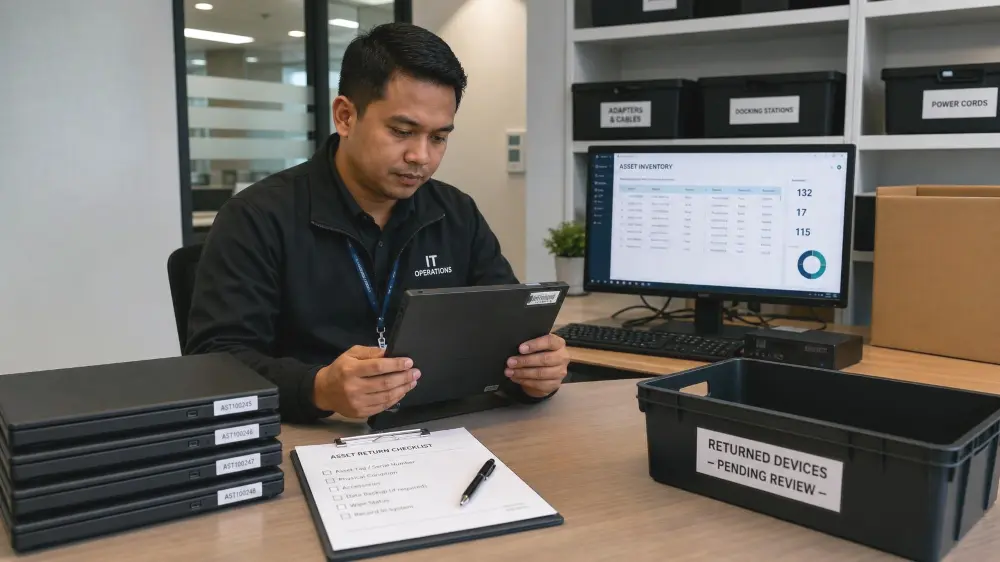
Retirement should begin only after the organisation has determined that the device should not be retained, repaired, redeployed, resold or returned under an agreement.
IT asset disposition is the broader process of deciding how retired technology assets should be handled. It may include reuse, resale, data sanitisation, recycling, recovery and final disposal.
IT asset disposal refers more specifically to removing equipment that has reached the end of its approved use. The secure disposal of old business computers should therefore address both the information stored on the equipment and the physical handling of the device.
Data sanitisation and physical disposal are separate responsibilities.
Sending equipment for recycling does not demonstrate that the information stored on it was removed appropriately.
Malaysia’s scheduled-waste regulations define SW110 as specified waste from electrical and electronic assemblies containing or contaminated by listed components or materials. The Department of Environment maintains information on scheduled-waste requirements and licensed facilities or transporters.
Organisations should determine whether their equipment falls within the scheduled-waste requirements and use an appropriate licensed handling route where applicable.
The retirement process should state:
- Who retrieves the equipment
- Who confirms the asset record
- Who determines the sanitisation method
- Who records the sanitisation outcome
- Who determines the appropriate recovery or disposal route
- Which provider will handle the equipment
- Which records or certificates must be retained
What Should a Device Lifecycle Management Plan Include?
Use this checklist to identify where the current environment needs closer review. Mark each item “Yes”, “Partly” or “No”.
- 1
Device profiles are defined by user role
- 2
Specification exceptions require documented approval
- 3
IT, procurement and finance records can be reconciled
- 4
Devices use an approved configuration baseline
- 5
Security and encryption requirements are documented
- 6
Warranty and repair records are visible
- 7
Refresh criteria are documented
- 8
Offboarding includes device and accessory recovery
- 9
Redeployment follows an agreed process
- 10
Sanitisation and retirement responsibilities are defined
- 11
Purchasing, leasing and Device-as-a-Service (DaaS) responsibilities are clear
- 12
Multi-location support ownership is defined
Any item marked “No” should be reviewed individually. A gap involving security configuration, employee offboarding, device recovery or data sanitisation may require priority action, regardless of how mature the other processes appear.
How QubeApps Supports a More Manageable Device Environment
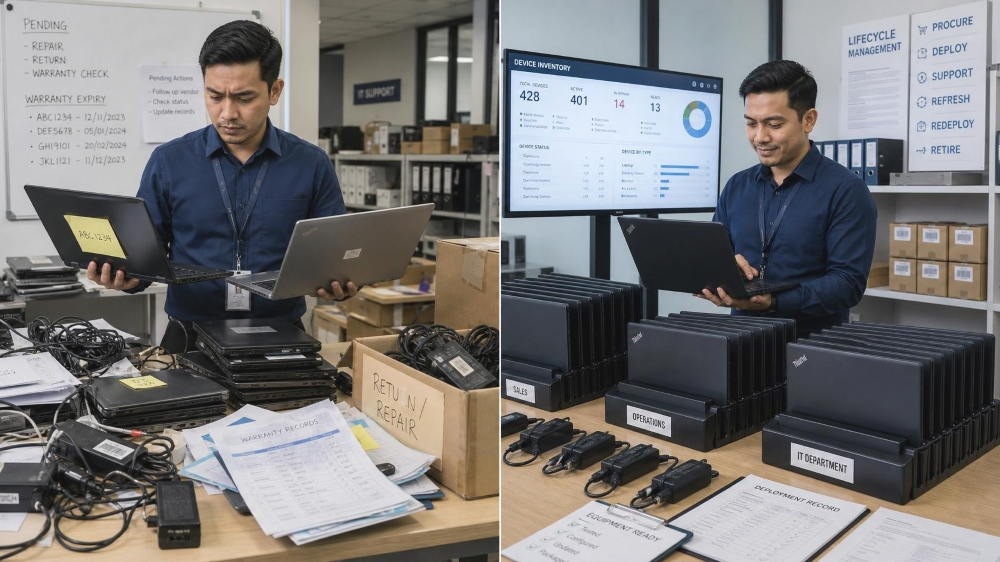
Device lifecycle problems rarely remain isolated. An inconsistent specification creates another configuration for IT to support. A missing warranty record can delay repairs. An unclear refresh process can turn a planned replacement into an urgent purchase. Incomplete offboarding can create both asset and data risks.
QubeApps helps Malaysian organisations establish a more structured device lifecycle management approach across users, roles and business locations.
The objective is not simply to supply business laptops, office computers or other IT hardware. It is to help IT and procurement teams select suitable devices, reduce unnecessary variation, improve deployment consistency, clarify support responsibilities and make refresh decisions more predictable.
Where retired devices require specialist data sanitisation, recycling or scheduled-waste handling, the relevant responsibilities should be clearly assigned and approved providers should be identified. This helps prevent important end-of-life tasks from being assumed, delayed or left unresolved.
With 100K+ active devices and 12K+ satisfied users, QubeApps brings practical experience in supporting business technology environments that must remain manageable as organisations add employees, departments and locations.
Speak with QubeApps if device standards, deployment processes, warranty records or refresh responsibilities are inconsistent across your organisation. We can help identify where greater structure may be needed across device standardisation, deployment, support ownership and lifecycle planning.