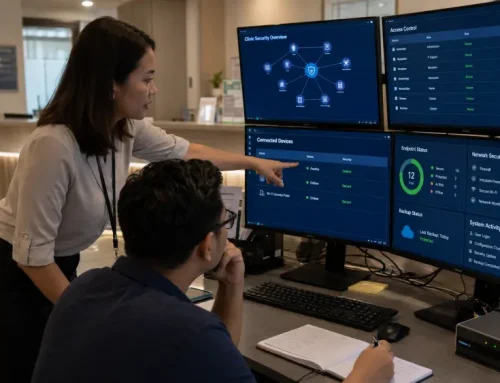

Business devices are no longer just tools for daily work. They are access points to company email, cloud storage, business systems, customer records, financial documents, and internal communication.
For many growing businesses, the challenge is not that devices are completely unprotected. The bigger issue is that device security is often inconsistent. Some laptops may not be updated regularly. Some users may have more access than they need. Remote devices may not be properly managed. Security alerts may appear, but no one has clear ownership to review them.
These gaps can look small at first, but they can affect more than one device. A weak endpoint can lead to disrupted operations, delayed customer service, exposed business data, and additional recovery work for the IT team.
In Malaysia, cybersecurity readiness is also becoming more important as businesses handle more customer, employee, and operational data. MyCERT continues to publish advisories and security best practices, while the Cyber Security Act 2024 reflects the country’s wider direction towards stronger cyber resilience, particularly for critical infrastructure and regulated cybersecurity services. For businesses processing customer or employee information, the Personal Data Protection Act 2010 and its amendments also reinforce the importance of protecting personal data.
This endpoint security checklist helps IT decision-makers and business leaders review practical areas such as device visibility, patching, access control, data protection, monitoring, user awareness, and incident response before small gaps become operational risks.
Table of Contents:
What Is an Endpoint Security Checklist?
An endpoint security checklist is a practical guide that helps a business review whether its devices are properly protected, updated, controlled, and monitored.
Endpoints can include:
The purpose of an endpoint security checklist is not simply to complete a list of tasks. It helps businesses understand where security gaps may exist and what should be prioritised before an incident happens. For a more basic explanation, you can also read our guide on what endpoint security is and why it matters.
Why Endpoint Security Matters for Businesses
Many business security risks start from ordinary daily activities. An employee opens a suspicious email attachment. A laptop connects to an unsecured network. A device is not updated for months. A staff member uses a weak password. A former employee still has access to company systems. A lost laptop contains sensitive company information.
A real example is the 2024 Ascension cyberattack, where a malicious file downloaded by an employee gave attackers a foothold in the network. Although only 7 of Ascension’s 25,000 servers were compromised, the incident disrupted wider hospital operations, delayed claims submission and payment processing, created remediation costs, and negatively affected operations and cash flow. Facility volumes also dropped by 8% to 12% in May and June 2024 compared with the previous year.
These issues may seem small individually, but they can create serious endpoint security risks, including:
This is why endpoint security should not be treated as a one-time software installation. It should be reviewed as part of the company’s wider cybersecurity solutions and IT management approach.
Endpoint Security Checklist: 10 Areas Businesses Should Review
Use the following checklist to assess whether your business devices are properly protected. For each area, answer:
- Yes: The control is implemented and regularly reviewed.
- No: The control is not currently implemented.
- Unsure: There is no clear visibility, ownership, or review process.
A “No” or “Unsure” answer does not automatically mean your business has been compromised. It indicates an area that should be investigated and prioritised.
Pay closer attention to any “No” or “Unsure” related to device inventory, patching, administrator access, multi-factor authentication (MFA), data protection, monitoring, or incident response.
1. Do You Know All the Devices Connected to Your Business?
Before a business can protect its endpoints, it needs a clear view of what is connected to its environment. Many companies add laptops, replace desktops, allow remote work, or use shared machines over time without maintaining a proper device inventory. Without clear visibility, IT teams may not know which devices still have access to company systems or sensitive data.
This creates a basic but serious problem: If you do not know which devices are connected to your business environment, you cannot properly secure them.
A good endpoint security assessment should start by checking:
This step is important because unmanaged devices can become hidden security gaps. Businesses that need better control over laptops, desktops, and work devices can also review their client solutions to support device standardisation and workplace productivity.
2. Are Devices Updated and Patched Regularly?
Outdated software is one of the most common security weaknesses.
Operating systems, applications, browsers, security tools, and business software need regular updates to fix known vulnerabilities. When updates are delayed, attackers may exploit weaknesses that already have available patches. An unpatched device can create downtime risk for systems used by sales, finance, operations, or customer service.
Businesses should review:
For smaller businesses, patching is often handled only when someone notices a problem. This reactive approach can leave devices exposed for too long. A stronger approach is to have a proper update and patch management process, especially for devices that access important business systems or sensitive data.
3. Is Antivirus Enough, or Do You Need Stronger Endpoint Protection?
Antivirus software is useful, but it is not the full picture. Traditional antivirus mainly focuses on detecting known malware. Modern endpoint risks may also involve suspicious behaviour, stolen credentials, unauthorised access, fileless techniques, or misuse of legitimate tools. That is why stronger endpoint protection may include additional layers such as behaviour monitoring, access control, patching, web protection, device control, and response processes. The issue is not only whether malware is blocked, but whether suspicious behaviour can be detected and acted on early.
Businesses should review:
For businesses with many devices, relying only on basic antivirus protection may not be enough. The right endpoint security solution should be reviewed based on the company’s risk level, number of users, remote work setup, and the sensitivity of business data.
4. Who Has Admin Access?
Admin access gives users more control over a device. It may allow them to install software, change settings, disable security tools, or access restricted areas.
If too many users have admin rights, the risk increases. A compromised account with admin access can cause more damage than a standard user account. Excessive admin access can turn one compromised account into a wider business incident.
Businesses should check:
One important area in endpoint security requirements is the principle of least privilege. This means users should only have the access they need to do their job, not more.
5. Are Passwords, MFA, and Device Locks Properly Enforced?
Endpoint security is not only about the device. It is also about how users access the device and connected systems. Weak access control can expose cloud systems, email accounts, shared files, and remote access tools.
Weak passwords, reused passwords, unlocked screens, and missing multi-factor authentication can expose business systems even if the device itself has security software. Endpoint protection should also work together with identity and access controls. The 2024 Change Healthcare cyberattack is a reminder that compromised credentials and missing multi-factor authentication on remote access systems can create a path into wider business environments.
Businesses should review:
For businesses using cloud applications, email, file sharing, or remote access tools, login security is especially important.
6. Is Sensitive Data Protected on Devices?
Business devices often store or access important information. This may include customer records, contracts, financial documents, HR files, operational data, or internal reports. If a device is lost, stolen, infected, or accessed by the wrong person, sensitive data may be exposed. If sensitive data is stored or accessed through poorly protected devices, the business may face data exposure, recovery work, and compliance concerns.
Businesses should review:
For Malaysian businesses, this section is especially important if devices are used to access customer records, employee data, payment information, contracts, or other personal data. Endpoint security does not replace legal compliance, but it can support better data protection practices by reducing the risk of unauthorised access, data leakage, and unmanaged storage of sensitive information.
This makes data protection more practical. Businesses should not only ask where sensitive data is stored. They should also review whether the devices used to access that data are properly secured.
7. Are Remote Work and Mobile Devices Properly Managed?
Remote work has changed the way businesses use devices. Staff may access company email, files, and business applications from home, client sites, cafes, or public networks. This makes business endpoint security more important, especially when staff access company systems from outside the office. A device outside the office can still create risk if it connects to company systems without proper controls.
Businesses should check:
That is why endpoint security controls should apply consistently across office, remote, and mobile working environments.
8. Are Endpoint Activities Being Monitored?
Security tools are not useful if no one reviews alerts or suspicious activity. Endpoint monitoring helps businesses detect unusual behaviour, malware activity, unauthorised access, policy violations, or signs of compromise. If no one reviews alerts, the business may only discover an issue after disruption has already happened.
Businesses should review:
For businesses with higher security needs, endpoint detection and response (EDR) can help detect and respond to threats that basic protection may miss.
However, the key point is simple: businesses need visibility. If a security issue happens on a device, someone should be able to detect it, understand it, and respond quickly.
9. Are Employees Trained to Avoid Endpoint Security Risks?
Technology alone cannot prevent every security issue. Employees use endpoints every day. They open emails, download files, use browsers, plug in devices, access cloud platforms, and handle company data. Without basic awareness, users may accidentally create risk. Even with tools in place, daily user behaviour can still create risk through phishing, unsafe downloads, or poor password habits.
Businesses should provide practical guidance on:
Training does not need to be complicated. It should be clear, practical, and repeated regularly. The goal is not to make every employee a cybersecurity expert. The goal is to help them recognise risky behaviour and know what to do when something looks wrong.
10. Do You Have a Response Plan If an Endpoint Is Compromised?
Endpoint security should not only focus on prevention. Businesses also need a clear response process if a device is infected, lost, stolen, or accessed without permission. Without a response plan, teams may lose valuable time deciding what to isolate, reset, recover, or report.
Businesses should review:
A response plan helps reduce confusion during a security incident and gives the team a clearer process to follow.
When Should a Business Consider Endpoint Security Services?

A business may need endpoint security services if it does not have enough internal resources, tools, or expertise to manage endpoint protection properly.
You may need support if:
Endpoint security services can help businesses review the current environment, identify gaps, recommend suitable protection, and support ongoing monitoring and management. If your internal team does not have enough time or resources to manage endpoint protection consistently, managed IT services can help provide ongoing monitoring, maintenance, and technical support.
When comparing endpoint security vendors or cybersecurity service providers, businesses should not only look at software brands or product features. They should also consider whether the recommended endpoint security software or endpoint protection solutions can fit their device environment, user access needs, monitoring requirements, and internal IT capability.
Endpoint Security Examples Businesses Should Pay Attention To
Here are simple endpoint security examples that often happen in daily business operations:
These examples show why endpoint security for SMEs should be practical, not overly complicated. Small and growing businesses need clear controls that reduce risk without making daily work difficult.
What Businesses Should Do Next

Endpoint security for business is not just about installing antivirus software. It is about understanding how company devices are used, what risks they create, and whether the right protections are in place.
A practical endpoint security checklist helps businesses review the most important areas first, including device inventory, patch management, endpoint protection, access control, data protection, monitoring, employee awareness, and incident response.
For growing businesses, this review can help identify whether current endpoint security is enough or whether a more structured cybersecurity approach is needed.
QubeApps supports SMEs and growing businesses across infrastructure, cyber security, software, devices, communication tools, and managed IT services. With over 14 years of experience, a presence across 16 countries, trusted technology partners, and a local support team, QubeApps helps businesses identify the right areas to improve based on operational risks and growth plans.
If your business is unsure whether its devices are properly protected, do not wait until a compromised laptop, stolen credential, or unmonitored device disrupts operations. Contact QubeApps to review your endpoint security setup and explore practical cybersecurity improvements based on your business environment.