
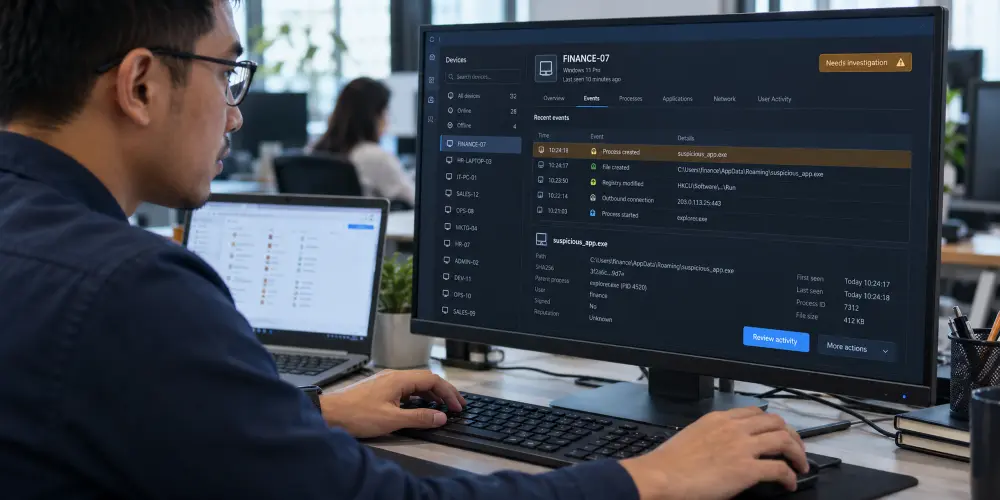
Imagine harmful software infects the computer your finance team uses to issue invoices. IT may need to disconnect that computer from the company network to help stop the attack from spreading. The employee may then be unable to access the billing system. Without another approved computer to use, invoices could be delayed while IT investigates and repairs the affected device.
Staff may be unable to work, invoices may be delayed and the business may face additional IT support costs. If a customer’s payment period starts when the invoice arrives, a late invoice can mean your business gets paid later.
Antivirus helps detect and block harmful software, also called malware. However, no security product can guarantee that it will stop every attack. The business also needs people who can check a warning, act on a confirmed problem and help staff return to work.
Consider whether any of these situations apply to your company:
- Some company laptops are missing from security reports, and no one has checked why. Until they are checked, you cannot confirm whether their security software is installed, up to date and running.
- Security software sends warnings, but the person handling IT is busy with other requests. If a warning is serious, the problem could continue while nobody is checking it.
- You assume your usual IT support covers investigating cyberattacks and restoring affected computers. These tasks may fall outside your existing support agreement. Check who will handle them and whether additional charges apply.
- Only one computer is available for an important task. If a security problem stops someone using it, billing, order processing or customer service could be delayed until there is a safe way to continue.
These examples show how an IT problem can affect daily work. In its July 2026 ransomware advisory, MyCERT describes service interruptions, unavailable systems and recovery costs affecting organisations in Malaysia. Ransomware is malicious software that can lock files or systems so the business cannot use them.
Before approving a security upgrade, identify what your current protection can do, what it is missing and how the proposed spending will help. This guide explains antivirus, endpoint security and EDR in plain language so you can make that decision.
Key Takeaways
- Antivirus is usually one part of endpoint security. Some features you need may already be included in your current software.
- An upgrade should address a specific gap, such as laptops without protection or security reports that do not provide enough information to investigate suspicious activity.
- Include the people who will check warnings and the work needed to get affected computers running again when planning the budget.
Table of Contents:
The Difference Between Endpoint Security and Antivirus Explained
Antivirus mainly deals with malware. Endpoint security includes a wider set of measures for protecting and managing business devices. An endpoint is a device that connects to a network or accesses business systems and data.
Examples include laptops, desktop computers, phones, tablets and servers. A server is a computer that provides shared files or applications to other devices.
Antivirus Detects and Blocks Harmful Software
Antivirus checks for malware and can block or remove it. Modern products can also detect suspicious behaviour. For example, Microsoft explains how its antivirus checks what programs do, rather than relying only on a list of known threats.
Some business antivirus products also let IT manage protection and view reports for several computers from one place. Check what your existing software already includes and which features are switched on. Paying for a second product may duplicate something the business already has.
Antivirus vs Endpoint Protection: Compare the Device Controls Included
A broader endpoint security solution may include antivirus together with other controls. For example, it can include tools to install software security fixes, restrict the use of USB storage or apply the same security settings across company computers.
It may also include full disk encryption. This scrambles the information stored on a device to help prevent unauthorised access if it is lost or stolen.
Products described as endpoint security or endpoint protection may include similar features. Compare the features included in each proposal and check which are available on your company’s computers, phones and servers.
EDR vs Antivirus: What Does EDR Add?
EDR stands for endpoint detection and response. It records information about activity on a device to help a security team investigate suspicious behaviour.
For example, the team may need to identify which program was running and what it was doing when a warning appeared. That information helps the team decide whether there is an attack and what action is needed. Microsoft’s EDR documentation describes investigation tools and actions such as restricting an affected computer’s network connections.
EDR helps when current antivirus reports do not give the team enough information to investigate a warning. Some products can take action automatically; the available actions depend on the software and its settings.
| What you are buying | What it does | What the business needs to know |
|---|---|---|
| Antivirus | Detects and deals with harmful software. | Which devices have it, and is it working and kept up to date? |
| Broader endpoint security | Adds other device protections, such as security updates, encryption or device restrictions. | Which problems will the additional features solve? |
| EDR | Provides information and tools to investigate suspicious activity and take action. | Who will use it, and what can they do when a problem is found? |
Endpoint Security for Small Business Owners: What Should You Improve First?
Start with the work your business depends on. List the devices used for important tasks, the information they can access and how staff would continue if those devices could not be used. This helps you decide which weaknesses need attention first.
Then compare those needs with the software and support already in place:
| What you find | What to prioritise |
|---|---|
| Your current protection meets your business needs and covers the required devices. Someone is responsible for reviewing security warnings. | Keep it working, maintain it and review it when the business changes. |
| Suitable software is available, but some computers are missing it or have incorrect settings. | Fix the installation and settings, then check that each required device is protected. |
| The team cannot get enough information to investigate suspicious activity. | Assess whether EDR would provide the missing information and whether your team or provider can investigate its alerts. |
| Software sends warnings, but nobody can check them consistently. | Arrange people to review warnings and act on problems. Another software purchase alone will not solve this. |
| Staff have no other approved device for important tasks, or IT cannot restore affected systems. | Prepare alternative ways to work and a plan to restore computers and files. |
When choosing business endpoint protection, check which devices are included, who will handle security warnings and what help is included to get affected computers working again.
Compare security reports with your company’s device list. If a laptop is missing from the reports, check whether it is switched off, disconnected or experiencing a software problem before concluding that its protection has failed.
For a wider review of company devices and their security settings, see the QubeApps endpoint security checklist.
Who Will Handle a Warning and Get Staff Working Again?
A security warning means the software has found something that needs attention. It does not always mean an attack has been confirmed. The team handling the warning must investigate it and tell affected staff whether they can continue using their devices or need another way to work.
Management should establish three responsibilities before a problem occurs:
- Checking the warning: assign someone to review security warnings, specify when they will be monitored and name a backup contact for when the usual person is unavailable.
- Taking action: decide who is authorised to restrict a computer’s network connections or take other steps to stop an attack. Tell affected managers which tasks staff can continue and how any automatic security actions may interrupt their work.
- Restoring work: assign someone to repair affected computers, reinstall software and restore files from backups as needed. Tell the affected department when the computers are ready to use again.
For tasks such as billing, prepare an approved alternative computer and check that staff can access the applications and files they need. A spare laptop alone does not guarantee work can continue.
Keep Software Updates, Sign-In Protection and Backups in Place
Endpoint security is one part of protecting a business. NIST’s small-business guide also recommends keeping software updated, using multi-factor authentication and testing backups.
With multi-factor authentication, signing in can require both a password and approval on a phone. Backups are copies of information used to restore lost or damaged files. Testing them helps check that the files can actually be restored. Software updates can fix security weaknesses that attackers could use. EDR does not replace these protections.
Find Out What Your Business Needs with QubeApps

QubeApps helps Malaysian businesses check which devices are protected, how security warnings are handled and which weaknesses need attention first.
Our endpoint security for business devices includes EDR, software security updates, full disk encryption and controls for devices such as USB storage. We also provide tools to manage mobile devices and security settings. We review the protection already in place before recommending suitable improvements.
Before paying for another security product, find out what needs fixing. Contact QubeApps for an endpoint security review to discuss your company devices, the people handling security warnings and the work your business needs to keep running.